Skinny Siri Self Service
Work - - 1 min read
An Apple Shortcuts experiment that lets Skinny customers manage their plan, add-ons, and balance entirely through Siri, built on top of Skinny’s existing Text Self Service system.
Challenge
Skinny already had a clever self-service system: text a keyword to 2424 and you can do almost anything with your plan. Buy or cancel a plan, grab an add-on, top up, check your balance, transfer credit. Powerful, but text-based and manual. The interesting question was whether that same system could be made entirely hands-free, with Siri handling the conversation instead.
Solution
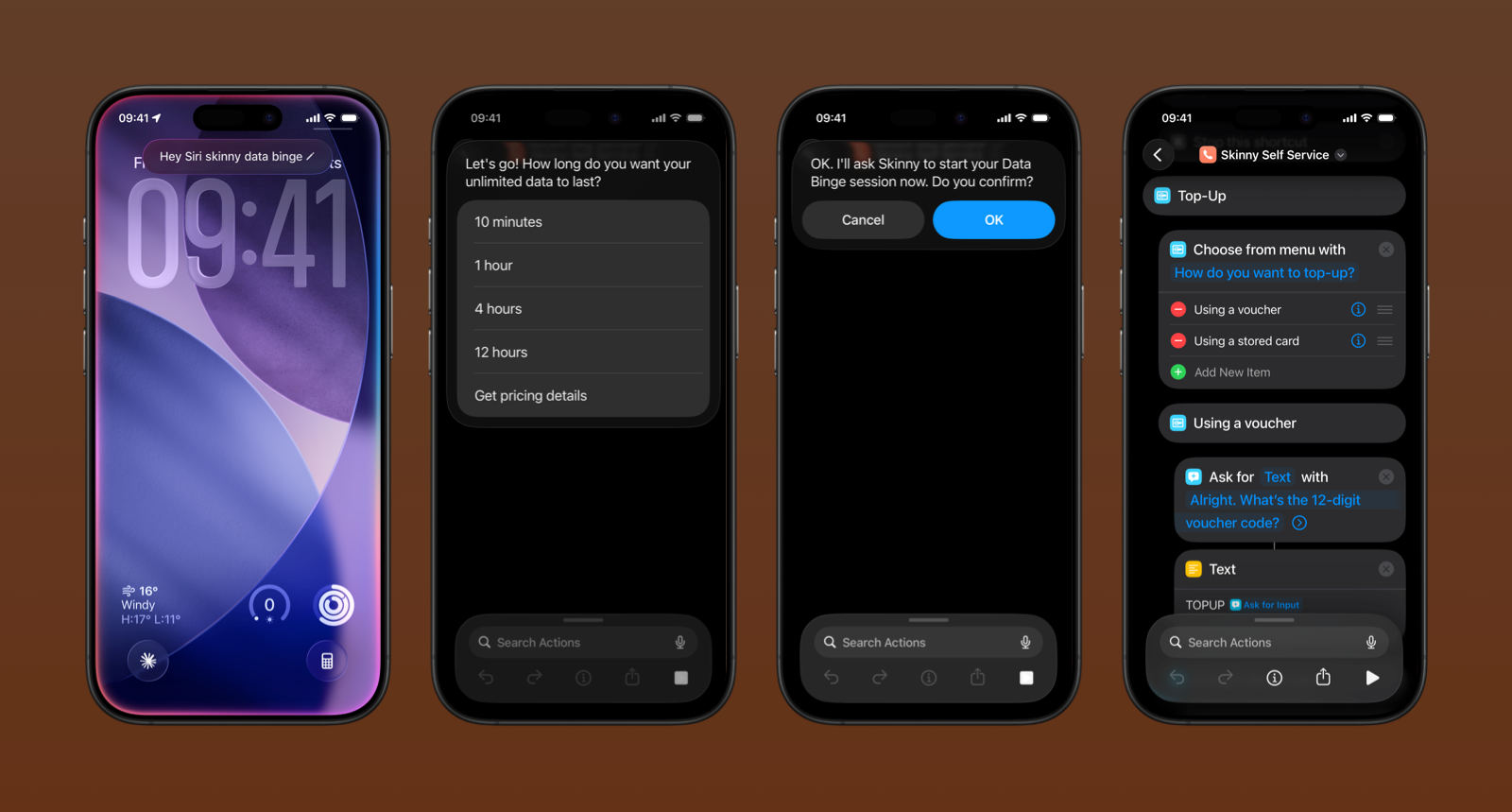
The shortcut works by guiding users through a conversation either via the Shortcuts UI or by talking to Siri and translating their choices into the right keywords, sent as a text message in the background. Skinny’s automated reply comes back instantly, as it always would. No new infrastructure needed, the whole thing piggybacks on what was already there. The work was primarily conversation design: mapping out the interaction tree, writing the scripts, and making the flow feel natural across both voice and touch. The shortcut is available to download and works out of the box on any iPhone with a Skinny SIM.